BOSCH D9131A Parallel Printer Interface Module
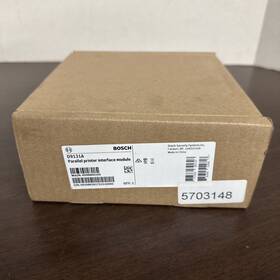
( Brand: Bosch ), ( Manufacturer Part Number: D9131A ), ( Type: Printer Module )
Review BOSCH New Parallel Printer Interface Module
The **Bosch D9131A Parallel Printer Interface Module** is a robust and versatile communication interface designed to seamlessly integrate legacy parallel printer systems with modern Bosch diagnostic and control platforms, ensuring compatibility and efficiency in automotive and industrial environments. Engineered for reliability, this module serves as a critical bridge between older parallel printer devices such as those used in diagnostic scanners, test equipment, or fleet management systems and contemporary Bosch software solutions, including diagnostic tools like **Bosch KTS, BOSCH KTS 4000, or other diagnostic interfaces**. Built with a focus on durability, the D9131A is constructed from high-quality materials, featuring a rugged enclosure that protects against dust, moisture, and electromagnetic interference, making it ideal for demanding workshop or field applications where environmental conditions can be harsh.
At its core, the module supports **Standard Parallel Port (IEEE 1284) communication protocols**, enabling bidirectional data transfer between the connected printer and the host system at speeds up to **150 kbps**, ensuring quick and efficient printing of diagnostic reports, fault codes, or maintenance logs. The interface module is equipped with a **DB-25 male connector**, adhering to the traditional parallel printer standard, which simplifies integration with existing hardware without requiring costly upgrades. Additionally, it includes **handshake signals (ACK, BUSY, PE, and STROBE)** to ensure smooth data transmission, reducing errors and improving overall system performance. For added flexibility, the D9131A often comes with **adjustable jumpers or configuration options** that allow users to tailor the interface settings to match specific printer or diagnostic tool requirements, such as data bit rate, parity, or stop bits.
Beyond its technical specifications, the D9131A is designed with **user convenience in mind**, offering a straightforward installation process that minimizes downtime. Whether retrofitting an older diagnostic system or upgrading a workshop s printing infrastructure, technicians and engineers will appreciate the module s plug-and-play functionality, which eliminates the need for complex wiring or additional hardware. Its compatibility extends beyond automotive diagnostics, making it a valuable asset in industries where parallel printing remains a standard, such as **aviation, rail, or industrial machinery maintenance**. With Bosch s reputation for precision engineering, this interface module not only ensures seamless communication but also contributes to the longevity and reliability of the diagnostic workflow, reducing the risk of data loss or miscommunication during critical operations.
For environments where documentation and record-keeping are paramount, the D9131A provides a dependable solution that bridges the gap between outdated hardware and modern diagnostic software. Its compact yet sturdy design allows for easy integration into existing setups, whether mounted on a workbench, installed in a diagnostic cart, or used in portable field tools. By maintaining compatibility with parallel printers while interfacing with Bosch s advanced diagnostic tools, this module ensures that technicians can continue to rely on familiar printing methods without sacrificing the benefits of updated software. Whether in a busy service center or a remote inspection site, the Bosch D9131A Parallel Printer Interface Module stands as a testament to Bosch s commitment to innovation and backward compatibility, delivering a solution that is as practical as it is powerful.
The **Bosch D9131A Parallel Printer Interface Module** is a legacy component designed to connect older parallel printers to Bosch diagnostic tools, particularly for vehicles with OBD (On-Board Diagnostics) systems. Below is a detailed breakdown of its pros and cons, followed by a conclusion and recommendation.
---
### **Pros of the Bosch D9131A Parallel Printer Interface Module**
1. **Compatibility with Older Systems**
The module allows connection to parallel printers (such as dot-matrix or thermal printers) that lack USB or serial ports, which were common before the widespread adoption of digital interfaces. This is particularly useful in environments where legacy printing hardware is still in use, such as some automotive workshops or industrial settings.
2. **Direct Integration with Bosch Tools**
It serves as a bridge between Bosch diagnostic tools (e.g., KTS, KTS 570, or older VAS systems) and parallel printers, enabling the printing of diagnostic reports, fault codes, and vehicle data without requiring additional software or adapters. This can be convenient for users who rely on printed documentation for record-keeping or compliance.
3. **Reliability in Stable Environments**
Parallel interfaces are generally robust for short-distance connections (e.g., within a workshop) and can handle occasional use without significant degradation. The module itself is a passive adapter, meaning it does not introduce complex electronics that could fail over time.
4. **Cost-Effective for Specific Use Cases**
If you already own a parallel printer and need to print data from Bosch tools, purchasing this module may be cheaper than upgrading to a USB-enabled printer or investing in a new printer entirely. It avoids the need for additional software drivers or compatibility issues that might arise with USB-to-parallel converters.
5. **No Power Requirements**
The module typically draws power from the diagnostic tool or the printer, eliminating the need for an external power supply. This simplifies setup and reduces potential points of failure.
6. **Backward Compatibility**
For users who work with older Bosch diagnostic systems that do not support USB or wireless printing, this module ensures that printing functionality is not lost. It preserves the ability to generate hard copies of data, which can be critical in certain regulatory or audit scenarios.
---
### **Cons of the Bosch D9131A Parallel Printer Interface Module**
1. **Limited Modern Compatibility**
Parallel ports are obsolete in most modern computers and printers. If you are using a newer Bosch diagnostic tool (e.g., newer VAS or KTS models) that primarily supports USB, Wi-Fi, or Bluetooth, this module may not be compatible or may require additional adapters (e.g., USB-to-parallel converters), which can introduce complexity and potential issues.
2. **Obsolete Hardware Dependencies**
Parallel printers are rare and often difficult to source. If your printer is outdated or fails, replacing it may be impractical or costly, as modern printers do not typically include parallel ports. This creates a dependency on legacy hardware that may become unsupported over time.
3. **Potential for Signal Degradation**
Parallel interfaces are more susceptible to signal noise over longer cable runs compared to USB or Ethernet. If the cable connecting the module to the printer is damaged or poorly shielded, it could result in garbled or incomplete printouts, leading to frustration and wasted paper.
4. **No Wireless or Network Capabilities**
Unlike USB or network-enabled printers, the parallel interface does not allow for remote printing or integration with digital workflows. This limits flexibility, especially in modern environments where data is often stored electronically and shared digitally.
5. **Limited Functionality**
The module only facilitates printing and does not support other features that modern printers or digital interfaces offer, such as duplex printing, high-resolution graphics, or cloud printing. If you require advanced printing capabilities, this module will not suffice.
6. **Potential for Driver or Software Issues**
Older Bosch diagnostic tools may require specific drivers or configurations to work seamlessly with parallel printers. If the tool or printer is not properly configured, you may encounter errors, such as failed print jobs or incomplete data transfer. This can be time-consuming to troubleshoot.
7. **Hardware Obsolescence Risks**
As Bosch updates its diagnostic tools, newer models may drop support for parallel interfaces entirely. This could render the D9131A module incompatible with future software updates or tools, leaving you without a printing solution if you rely on it heavily.
8. **Physical Connectivity Challenges**
Parallel ports and cables are bulkier and less durable than USB connectors. Over time, the connectors may wear out, and cables may become frayed or disconnected, leading to intermittent connectivity issues.
---
### **Conclusion**
The **Bosch D9131A Parallel Printer Interface Module** is a niche solution that fills a specific gap for users who need to print diagnostic data from older Bosch tools using parallel printers. It is most valuable in environments where:
- Legacy parallel printers are already in use and cannot be easily replaced.
- There is a strong reliance on printed documentation for compliance or record-keeping.
- Newer diagnostic tools are not yet available, and USB or wireless printing is not an option.
However, its limitations such as compatibility with obsolete hardware, lack of modern features, and potential for signal issues make it a less ideal choice for most contemporary or forward-looking users. If you are working with modern Bosch tools or plan to upgrade your printing infrastructure, investing in this module may not be the most practical or future-proof decision.
---
### **Recommendation**
1. **If You Are Using Legacy Systems and Have a Parallel Printer:**The D9131A module may still be a viable option if you have no other choice. Ensure that your Bosch diagnostic tool supports parallel printing and that your printer is in good working condition. Consider keeping spare cables and connectors to minimize downtime.
2. **If You Are Using Modern Bosch Tools:**Avoid purchasing the D9131A module. Instead, invest in a **USB-enabled printer** (e.g., a thermal or inkjet printer with USB support) or a **network printer** that can be connected wirelessly to your diagnostic tool. This will provide greater flexibility, reliability, and compatibility with future updates.
3. **If You Need a Temporary Solution:**If you occasionally need to print from a Bosch tool but do not have a parallel printer, consider using a **USB-to-parallel adapter** (though these are also becoming rare) or a **universal print server** that supports parallel printers via USB. However, this may not be a long-term solution.
4. **For Long-Term Use:**Evaluate whether printed documentation is truly necessary or if digital storage (e.g., saving data to a USB drive or cloud service) would suffice. Many modern Bosch tools allow you to export data in digital formats, reducing the need for physical prints.
5. **Check for Alternatives:**Before committing to the D9131A, verify whether your specific Bosch diagnostic tool has built-in printing capabilities via USB or if there are third-party adapters (e.g., from Bosch or authorized dealers) that support modern printing methods.
In summary, the D9131A module is a **specialized, legacy-focused solution** with limited modern applicability. For most users, especially those working with newer Bosch tools, investing in a USB or network-enabled printer is the more practical and future-proof approach.
Details:
Bosch D9131A Parallel Printer Interface Module, Condition is New, Box Sealed.
part #: d9131a prices
- $19.50-$25.00
specifications surveillancegadgetgo:
- brand: Bosch
- mpn: D9131a
- type: Printer Module
offer surveillancegadgetgo:
- best offers: True
- sold: 0
- availability: In Stock
- started: June 9, 2026
- quantity: 6
- options: Ship-to-home
seller surveillancegadgetgo:
- # reviews: 1249
- city: North Canton, Ohio
- rating: 99.6%
general surveillancegadgetgo:
- Home Surveillance > Home Surveillance Parts Accessories > Other Surveillance Parts Accessories
- condition: New
payments surveillancegadgetgo:
- other
- credit card: Mastercard
- wallet: Google-pay
returns surveillancegadgetgo:
- time: 30 Days
- paid by: Buyer
- policy: Returns Accepted
- method: Money back
shipping surveillancegadgetgo:
- service: UPS Ground, UPS Next Day Air, UPS Next Day Air Saver, UPS 3 Day Select
- cost: $17.41
- class: Standard, One-day, Expedited
- carrier: UPS
- transit: 3-9 Days
- type: Calculated
Bosch D9131A Is Similar To:
- 2607022840 Bosch Motor New In Box Tool Part (32.3% similar) Bosch GSR10...(August 25th, 2018)
- Ex12led-3bd-8m Bosch New Black Infrared Illuminator Med Beam 30 Deg (34.2% similar) Some items are shipped to Canada and or overseas. Happy buying. Shipping our shipping carriers are ups and USPS. If it is not shown, please assume it is not included. Please bid accordingly. Guarantee please refer to the offer. Please bid accordingly. Please using ask a question link at the bottom ...(August 26th, 2016)
- Nin-733-v03ips Bosch Security Video New Flexidome Hd 720p60 8717332885329 (27.6% similar) Personal care items if the item is defective the customer will need to contact the manufacturer directly. Our integrity must never be compromised. If the item is defective customer will need to contact manufacturer. Integrity is the foundation onto which all other values are placed. Merchandise must...(August 12th, 2016)
- Bosch Isn-sm-50 Seismic Detector 8 To 16v Dc 4m G Radius New Sealed (30.8% similar) Bosch ISN-SM-50 seismic detector 8 to 16V dc, 4MRADIUS new sealed...(September 28th, 2024)
- Bosch Vga-a-9543 Vg4-a-9543 Autodome G4 Pipe Mount White New (32.7% similar) Bosch VG4-A-9543 auto dome g4 pipe mount white, the unit is brand new and still sealed...(October 4th, 2024)
- Bosch Nda-8000-pipw Pendant Interface Outdoor Plate (53.5% similar) Bosch NDA-8000-PIPW pendant interface outdoor plate. Shipped with USPS ground advantage...(October 5th, 2024)
- Bosch Nda-5031-pip Pendant Interface Mounting Plate Ndi-4 5000 White 2-pack Open (44.6% similar) It is compatible with various Bosch model's and made of durable materials to ensure long-lasting use. The mounting plate is designed to be easy install and comes with all the necessary hardware for a hassle-free installation process. A set of 2 new unused open boxes with original screws included ...(October 13th, 2024)
- Bosch Nda-5030-pip Pendant Interface Plate For Flexidome Ip 4000 5000i (43.3% similar) It is perfect for those who want to stay secure and protected. The plate is suitable for use in consumer electronics, surveillance, and smart home electronics. It is designed for indoor and outdoor use, making it a versatile choice any location. The plate is compatible with the flextime IP 4000/...(November 1st, 2024)
- Bosch Tc9210u Lot Of 12 Camera Mount 6 Inch Indoor Part No New (33% similar) Bosch TC9210U universal wall/ceiling grid, for 6/4 .5KG max load, off-white, t-bar ceiling clip, mount flange. TC9210U all brand new. Attractive appearance. Wide selection of styles. Sturdy construction. Versatile design. This listing is for 12 Bosch camera mount 6 inch indoor part no...(November 17th, 2024)
- Bosch B328 New Security Systems Swivel Rotating Gimble Mount Bracket Assembly (39.4% similar) A42 still in the factory bag, sealed...(November 20th, 2024)
- Bosch Nda-5081-pip Pendant Interface Plate 110mm (51% similar) This product is ideal for those looking to enhance their home surveillance experience and compatible with the Bosch brand. With a diameter of 110MM, it is designed to fit seamlessly into your existing Bosch system. It is a type of interface plate and sold as unit, with unit quantity made in china, ...(December 2nd, 2024)